Discord
前提
- Discord 账号
- 拥有管理权限的服务器
配置步骤
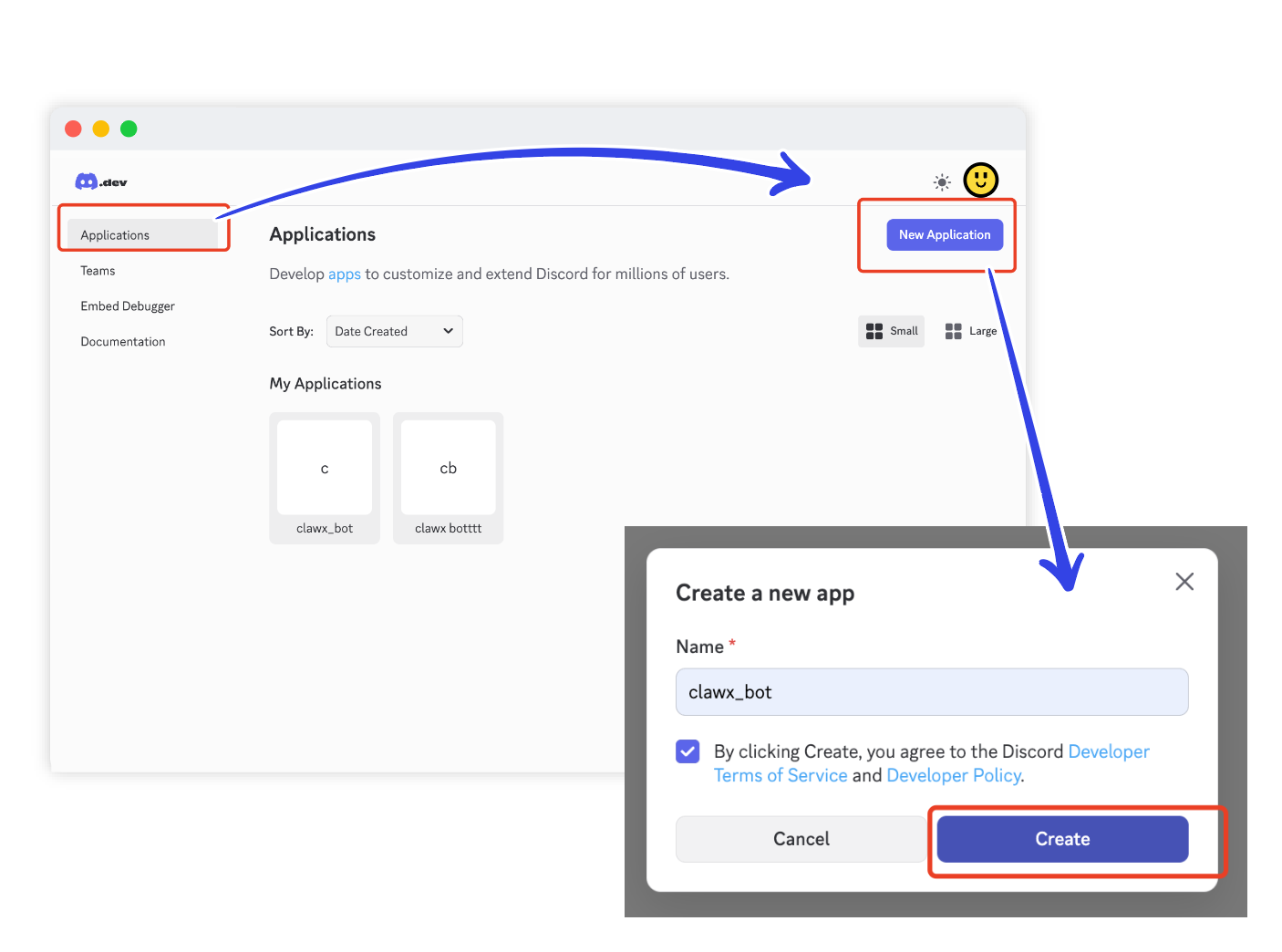
1. 创建应用
前往 Discord 开发者门户 → 应用 → 新建应用
2. 添加 Bot 并获取令牌
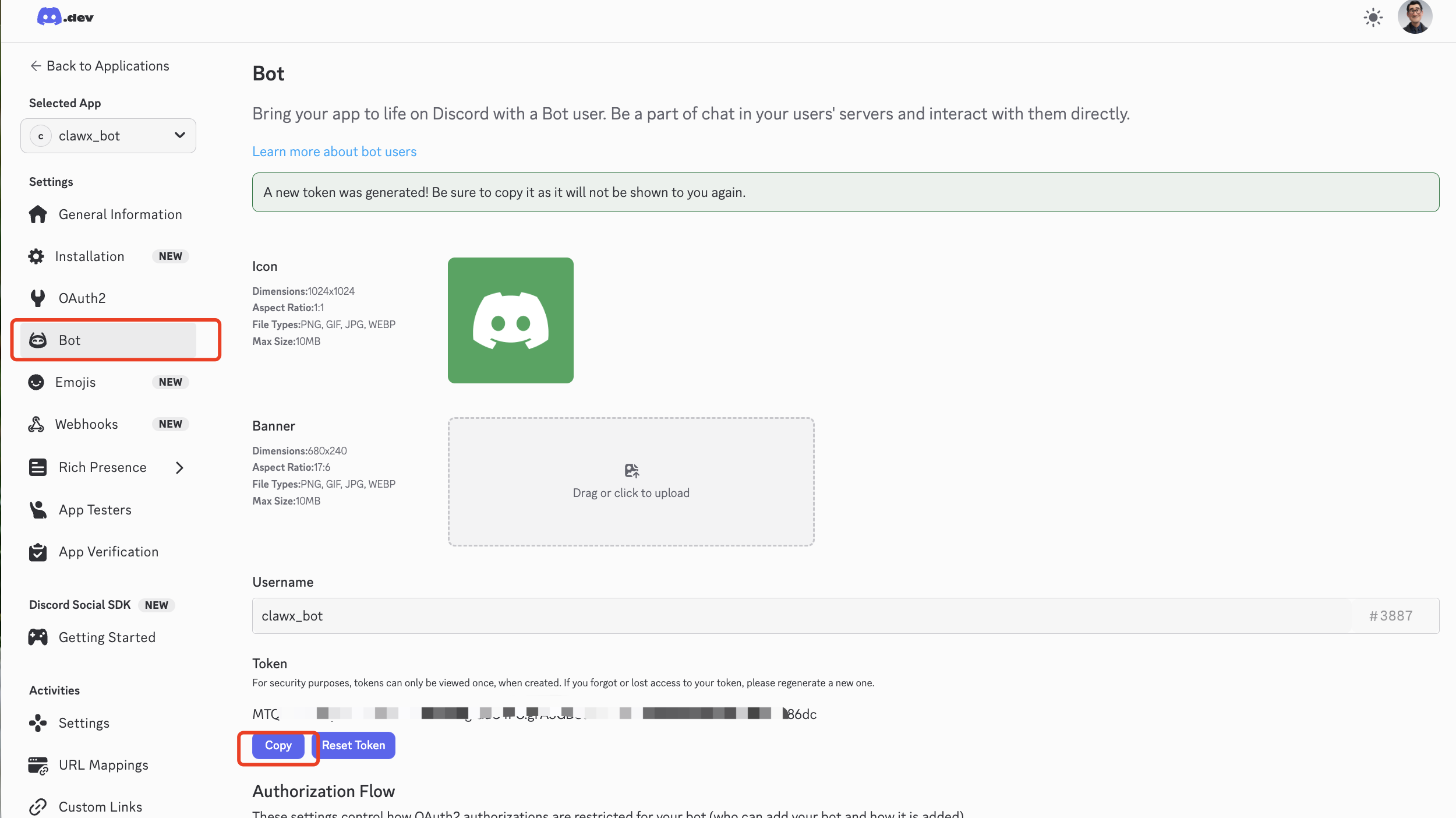
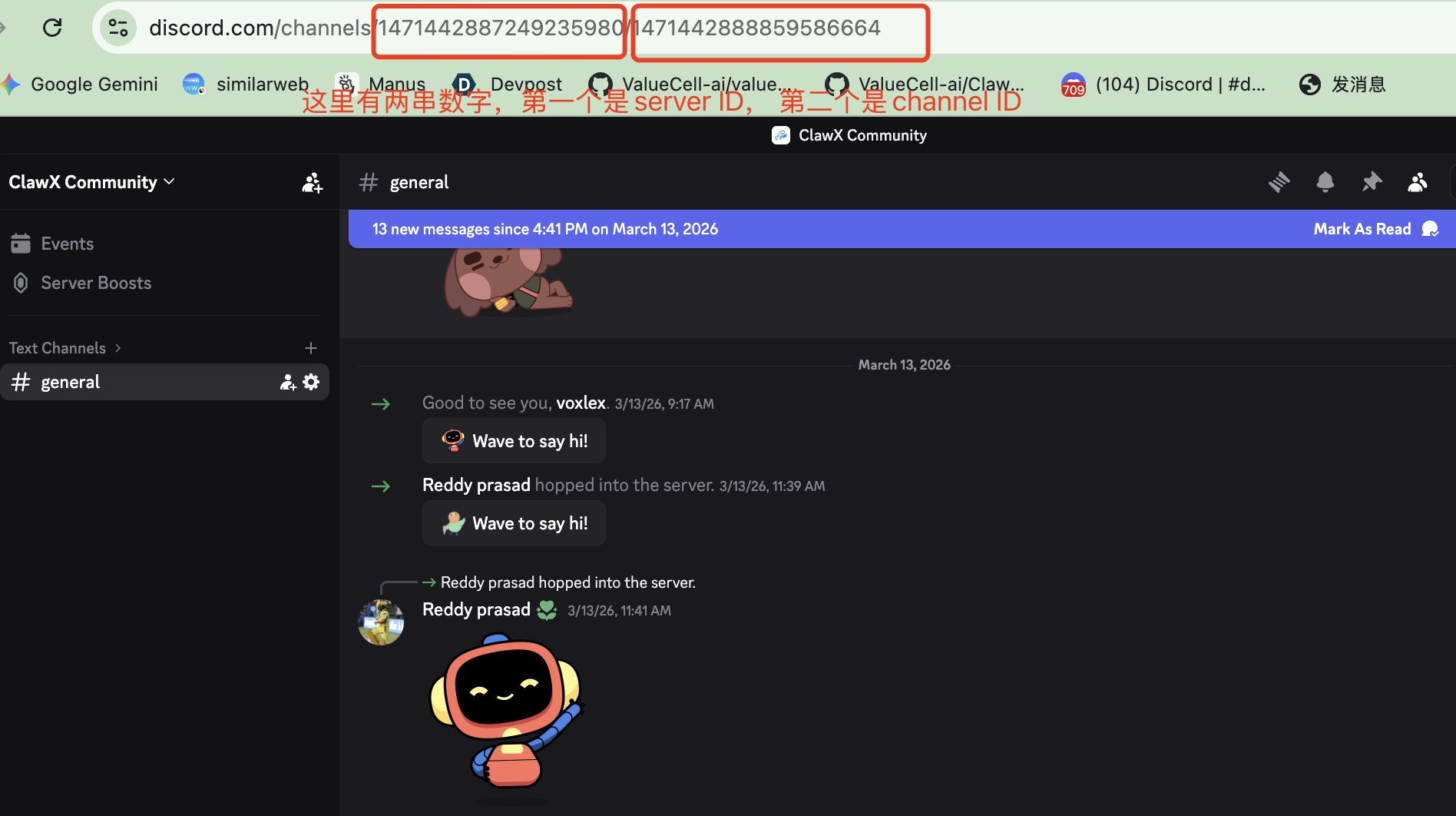
进入应用,在 Bot 页面点击 Add Bot,然后复制机器人令牌(Bot Token),粘贴到 BAIclaw 中,并填写目标 Server ID 和 Channel ID。
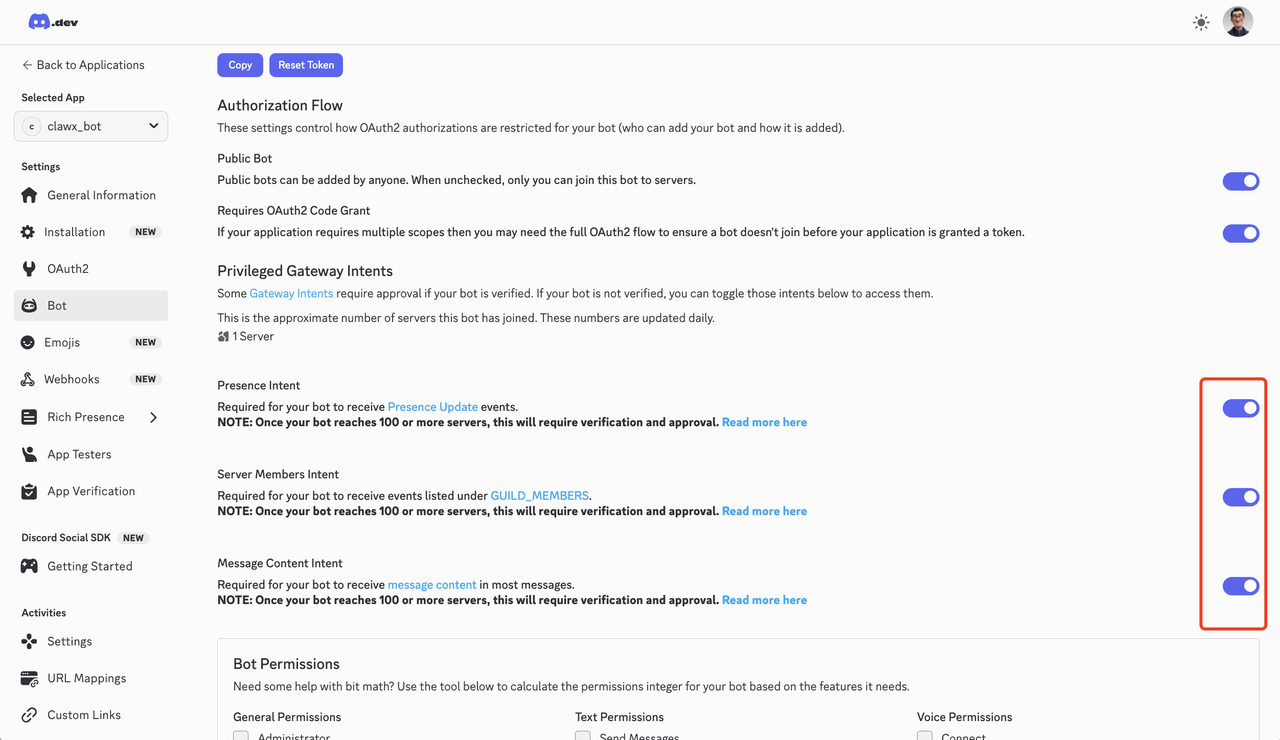
3. 启用 Gateway Intents
在 Bot → Privileged Gateway Intents 中启用 Message Content Intent 和 Server Members Intent。
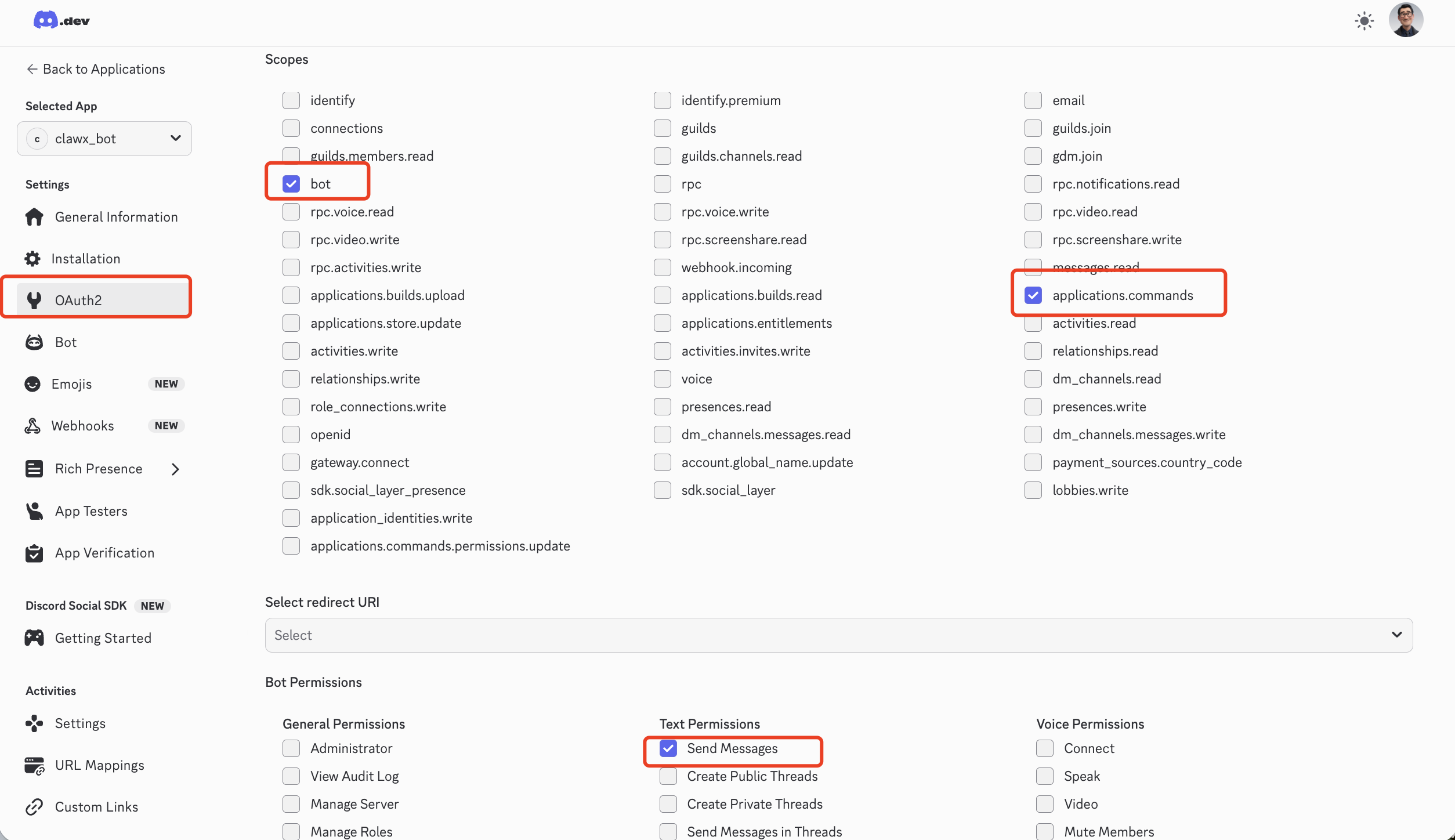
4. 配置 OAuth2 权限
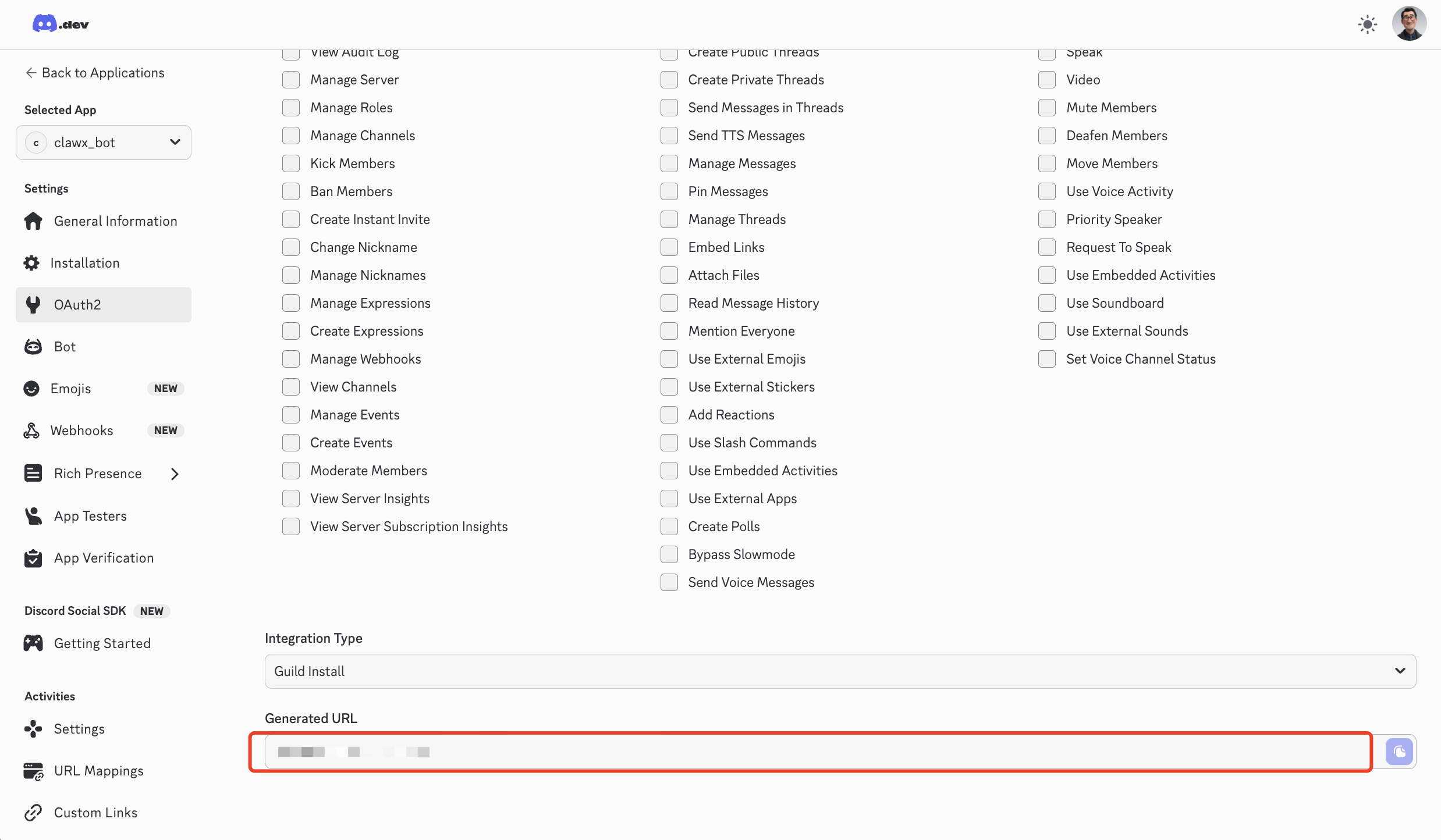
在 OAuth2 → URL Generator 中选择 bot + applications.commands,勾选 Send Messages 等消息权限。
5. 邀请机器人
使用生成的 URL 邀请机器人加入您的服务器。