Discord
Prerequisites
- Discord account
- A server with admin permissions
Configuration Steps
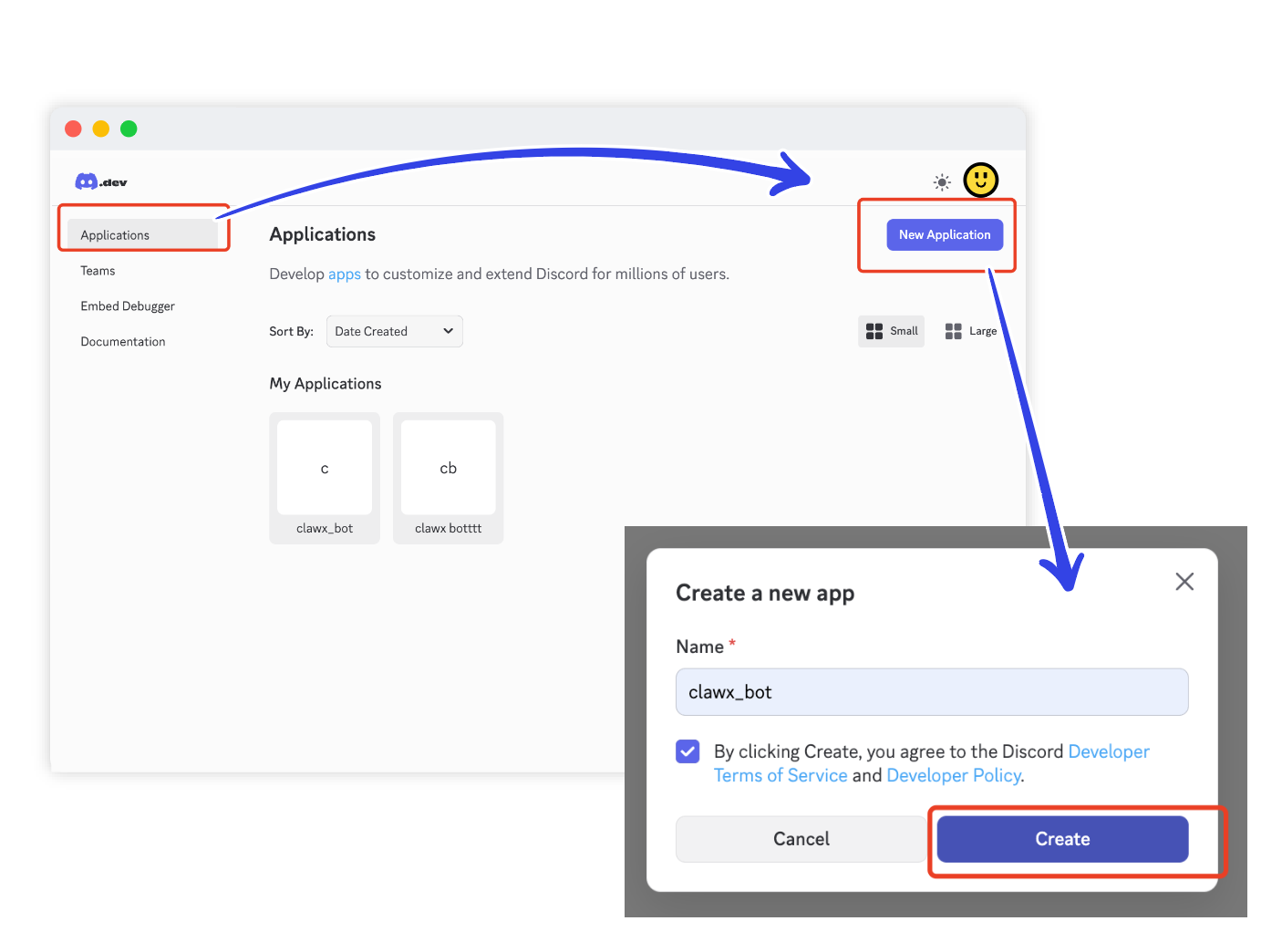
1. Create an Application
Go to Discord Developer Portal → Applications → Create New Application
2. Add Bot and Get Token
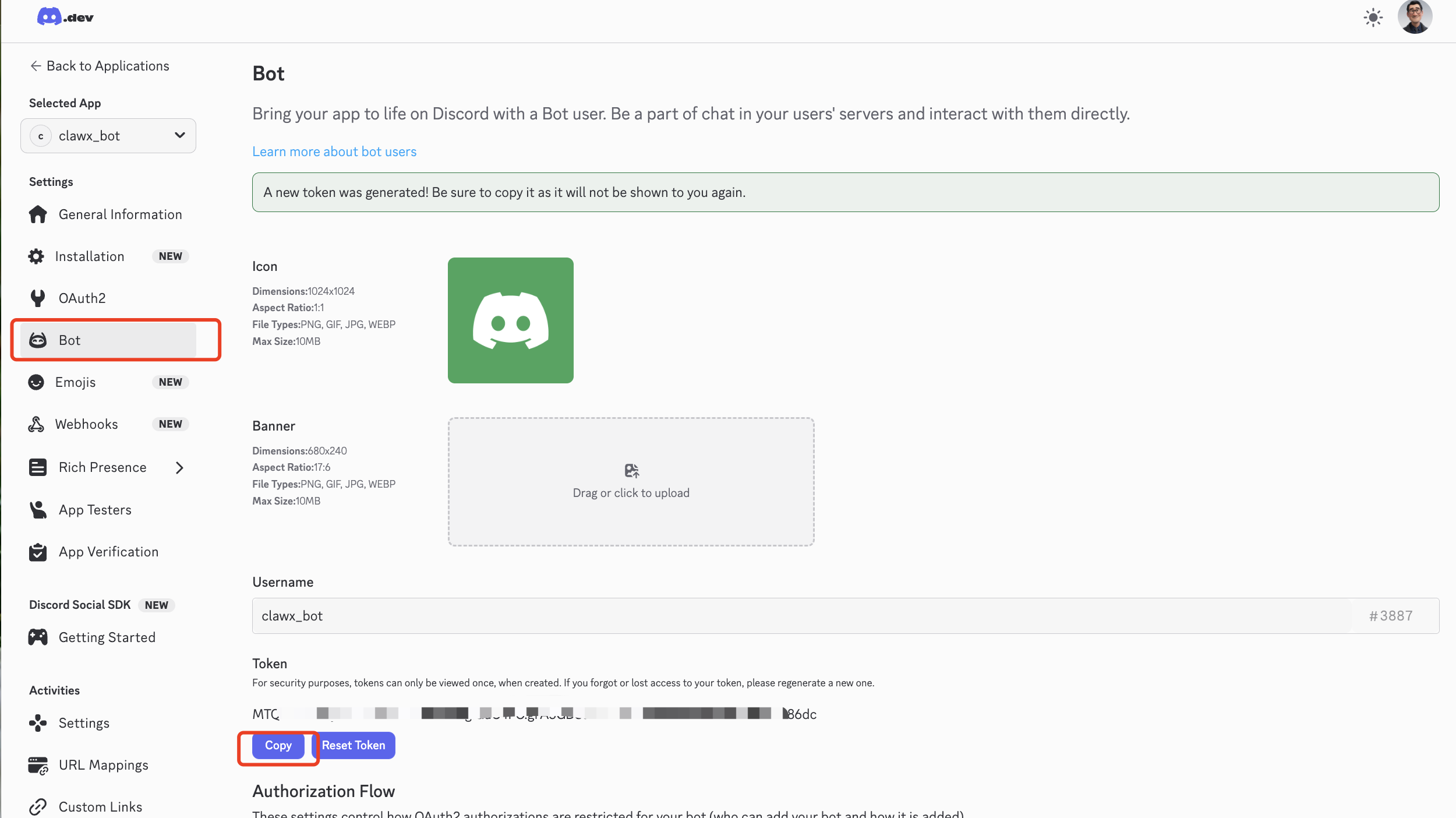
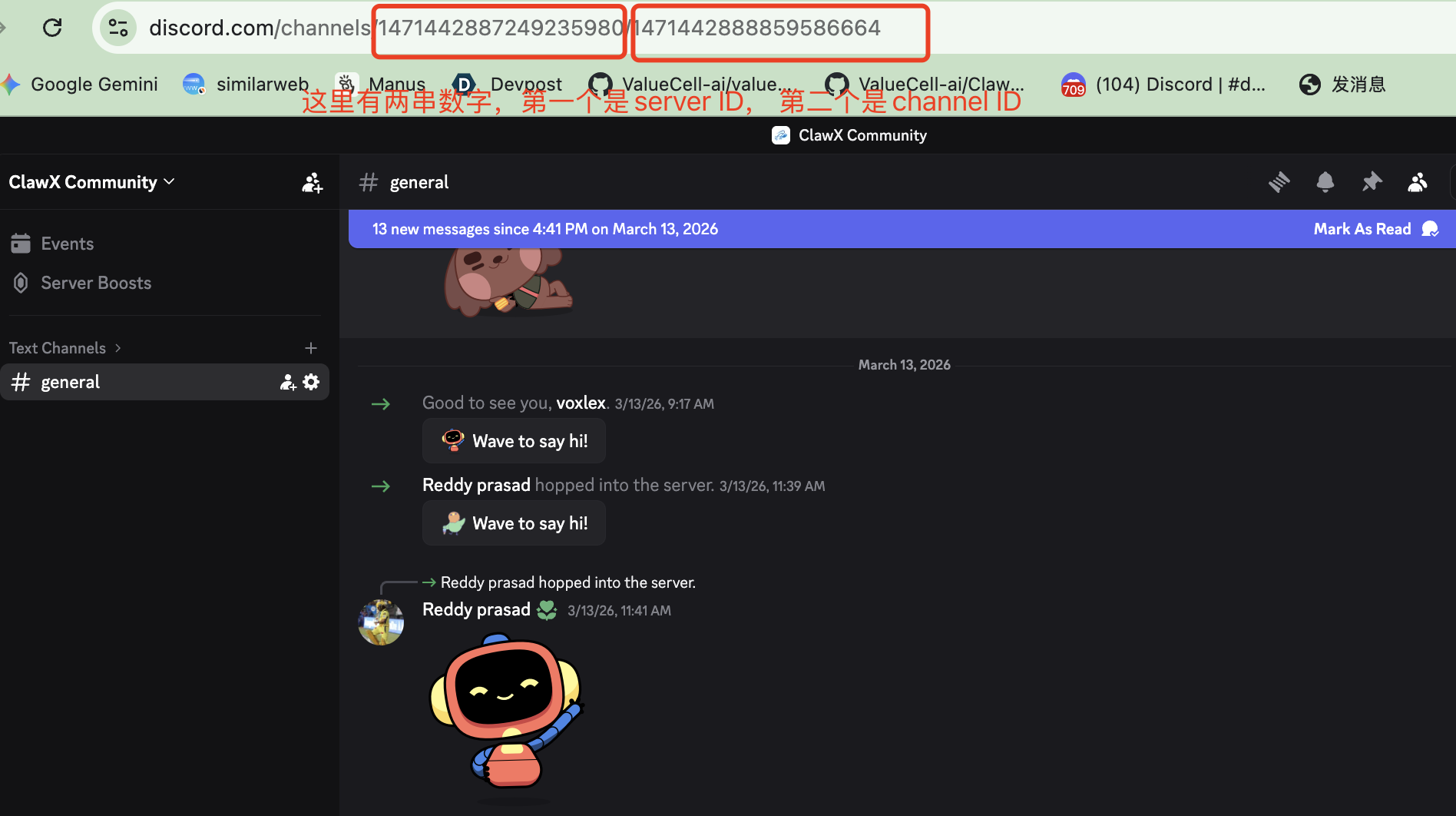
Enter the application, click Add Bot on the Bot page, then copy the Bot Token, paste it into BAIclaw, and fill in the target Server ID and Channel ID.
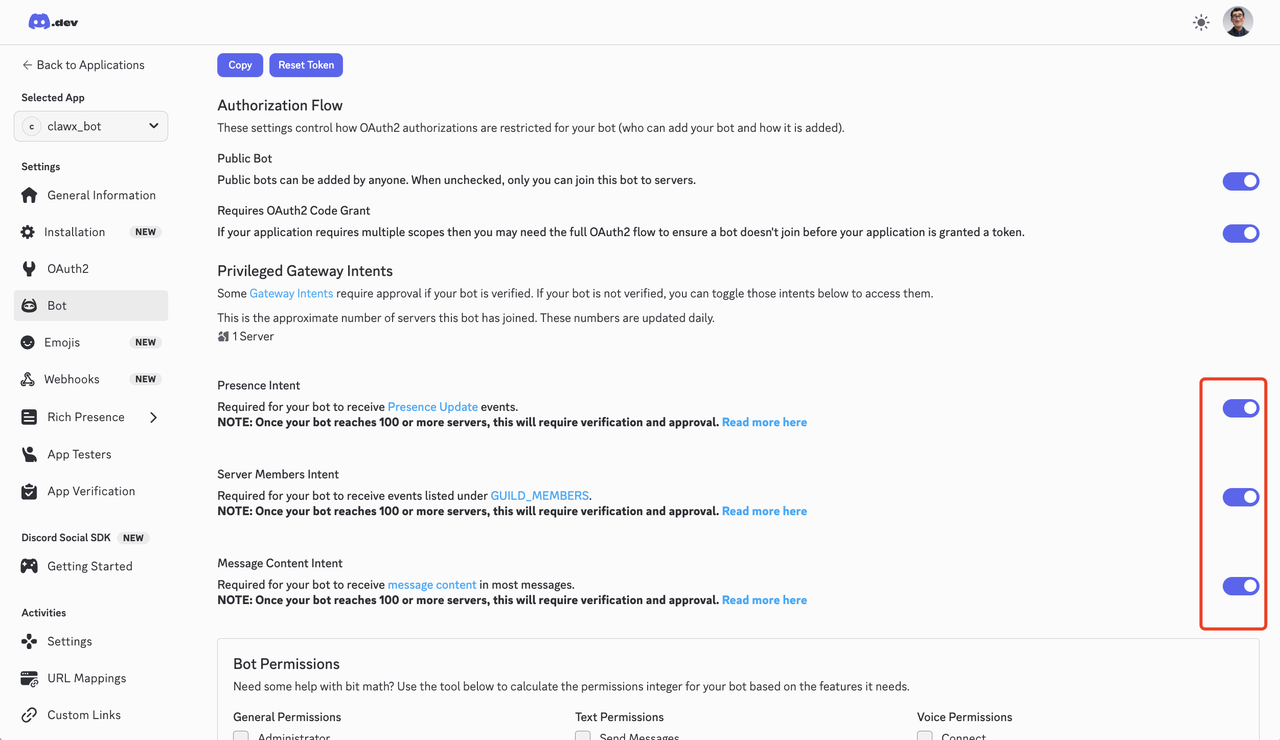
3. Enable Gateway Intents
In Bot → Privileged Gateway Intents, enable Message Content Intent and Server Members Intent.
4. Configure OAuth2 Permissions
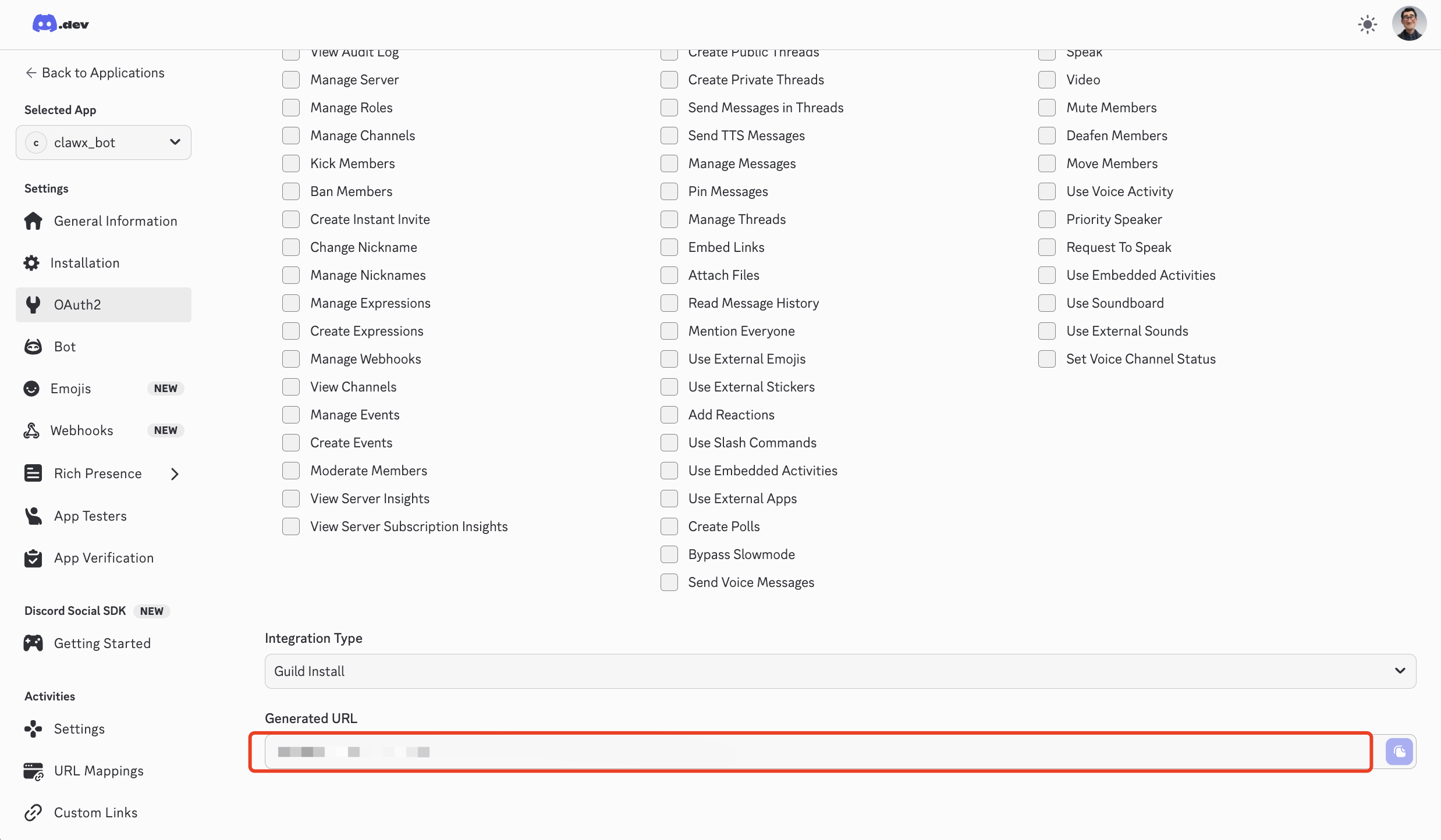
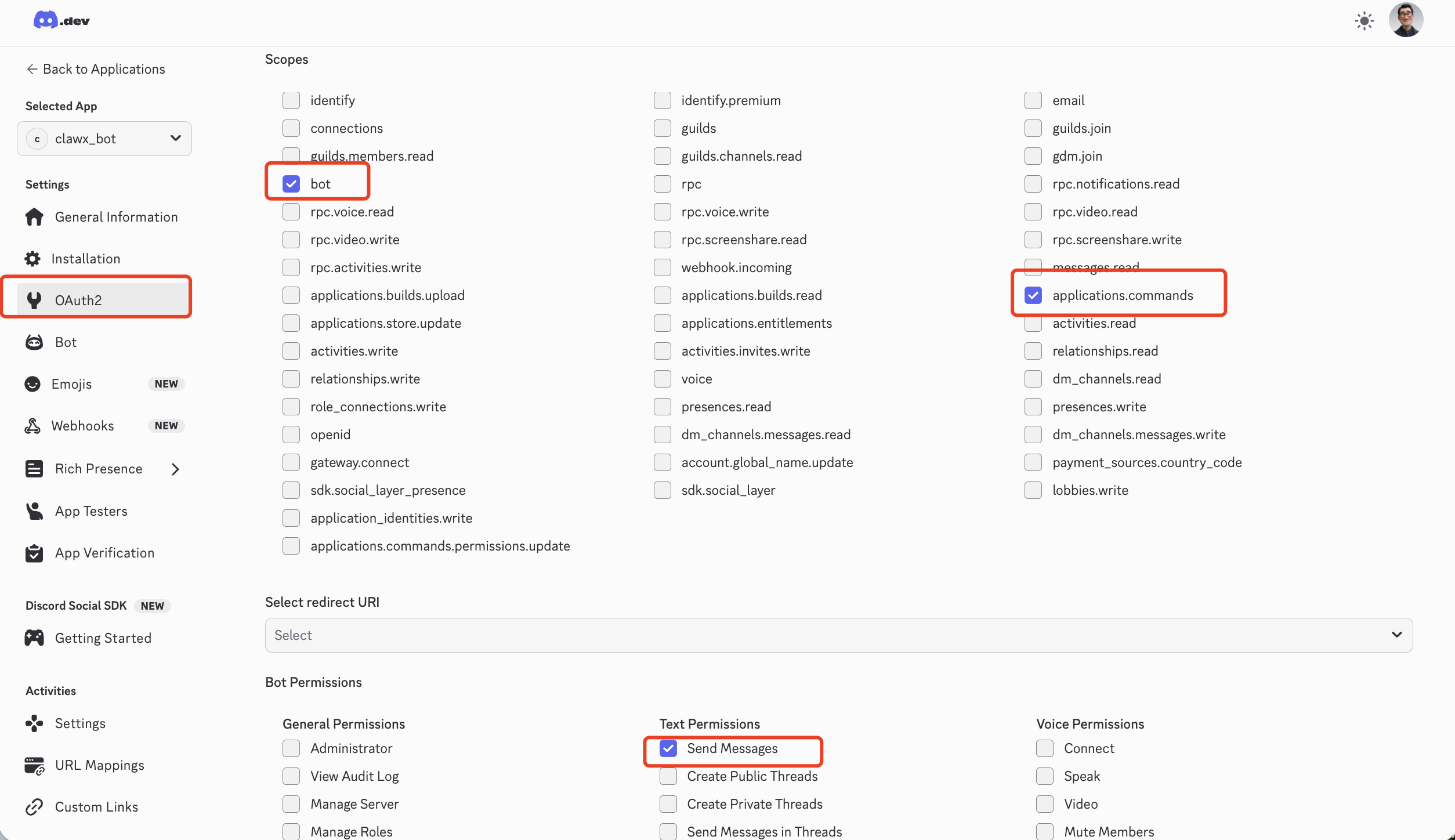
In OAuth2 → URL Generator, select bot + applications.commands, and check Send Messages and other message permissions.
5. Invite the Bot
Use the generated URL to invite the bot to your server.