Get API Key
To use BAIclaw, you need an API Key from BAI. This key authenticates your requests and grants access to the large language model capabilities.
What You Need
- A BAI account (free to register)
Step 1: Log in to BAI
- Open your browser and navigate to BAI
- Sign in with your existing account, or register a new one if you don't have it
Step 2: Create an API Key
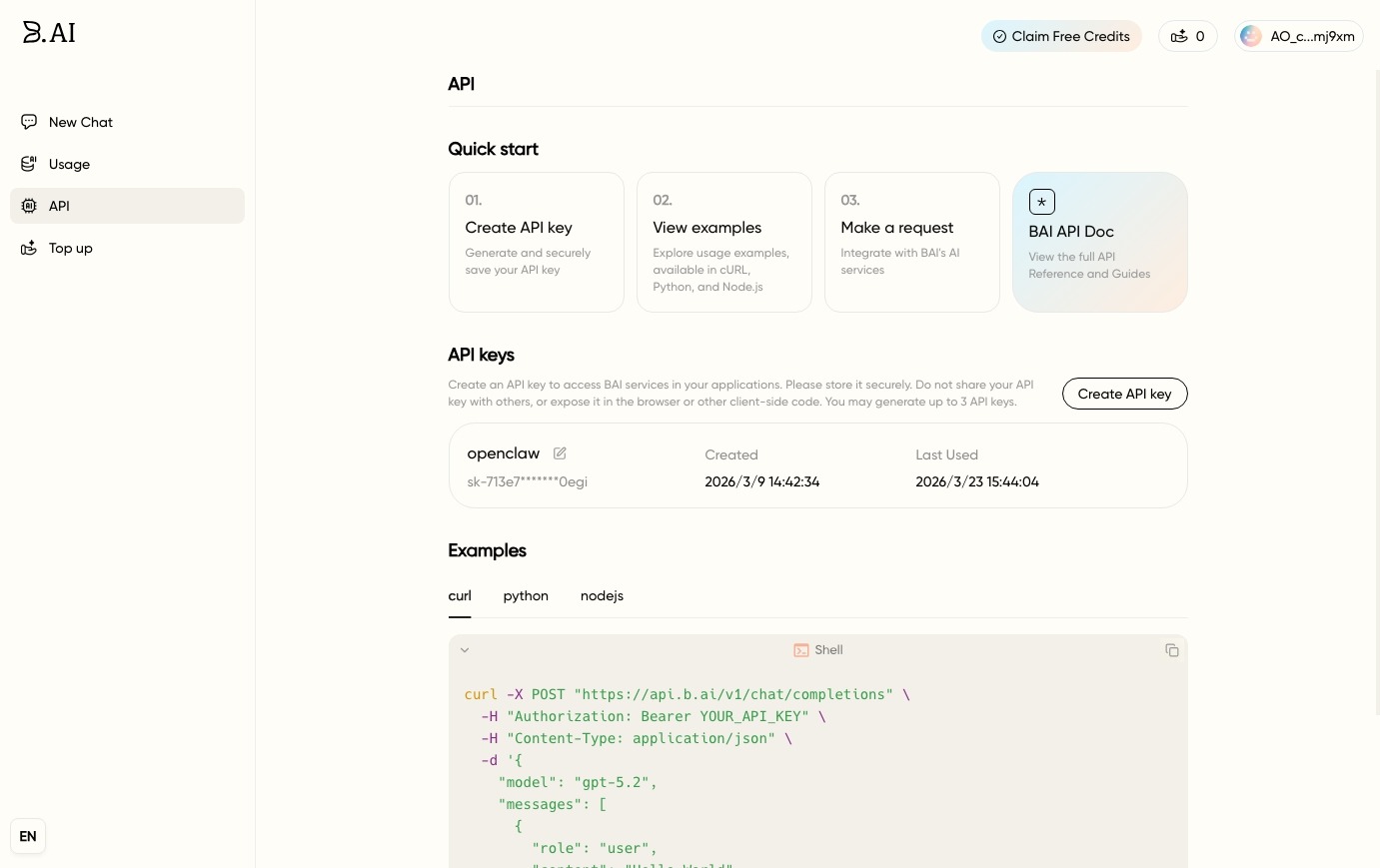
- Look for the API section in the left sidebar
- Click on it to open the API management page
- Click the Create API Key button
- Give your key a descriptive name (e.g., "BAIclaw")
- Copy the generated key immediately — it will only be shown once
Step 3: Configure in BAIclaw
- Open BAIclaw and navigate to the Models page
- Paste your copied API Key into the BAI API Key field
- Click to confirm
Keep your API Key safe at all times:
- The API Key is a critical credential for accessing the BAI model interface. Never share it with third parties.
- If leaked, unauthorized parties may consume your quota, resulting in unexpected charges. The account holder is responsible for any losses incurred.
- If you suspect your API Key has been compromised, delete it immediately in the BAI console, create a new one, and update the key in BAIclaw.
Verification
To verify your API Key is working:
- Go to the Chat page in BAIclaw
- Send a simple test message (e.g., "Hello")
- If you receive a response, your API Key is configured correctly
If you encounter errors when testing:
- Double-check that the API Key was copied completely (no extra spaces)
- Ensure your network connection is stable
- Verify your BAI account has available quota